
/wbTrack — Command Hub
/wbTrack initializes a session tracking file that records every /wb* command invocation, creating a timestamped narrative of the work session. It captures the command, target, outcome, branch, task context, and billing metadata — the audit trail that /wbStandup and /wbNext depend on.
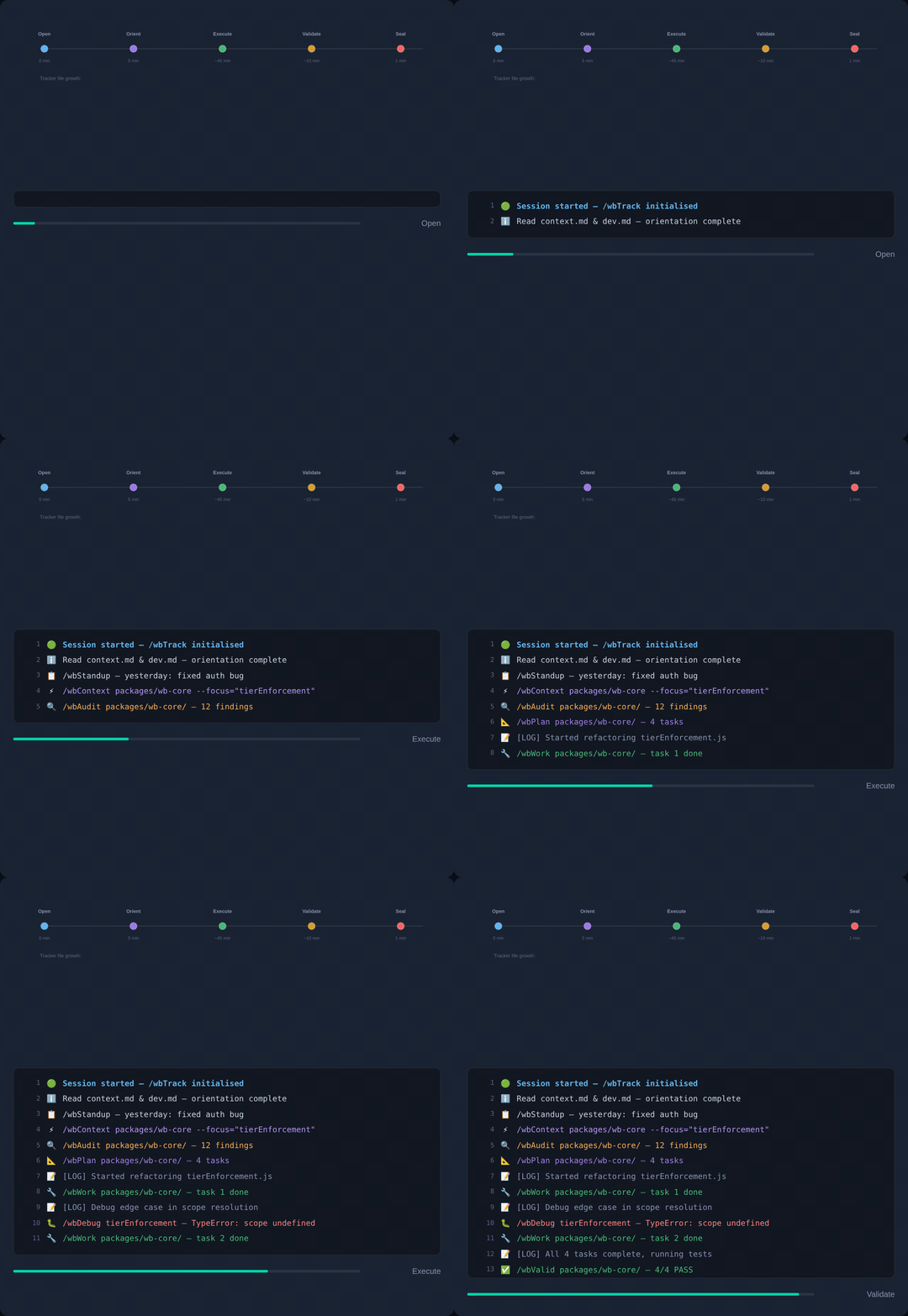
/wbTrack opens the session narrative that /wbStopTrack closes — the two ends of the same arc.
🎯 Strategic Position
/wbTrack is the session diary of the wb-flow system. Without it, /wbStandup has nothing to summarize and /wbNext has no history to learn from. Run it at the start of every work session so downstream commands can produce accurate summaries and informed recommendations.
- Starting work —
/wbTrackbegins the session diary. - Scoping a session —
--scopeties entries to a task or context. - Finishing —
--finalizecloses the session cleanly.
🛠️ Operating Modes
| Mode | Trigger | Output |
|---|---|---|
| Start | /wbTrack | Session tracking file initialized with timestamp and branch |
| Scoped | /wbTrack --scope <name> | Session scoped to a specific task or project context |
| Finalize | /wbTrack --finalize | Session closed and finalized, ready for /wbStandup |
✅ What a useful tracking session contains
A useful tracking session records at minimum:
- Timestamped entries for each
/wb*command invocation. - Branch and project context captured per entry.
- Task linkage — each command mapped to its originating task.
- Billing metadata for time-tracking and reporting.
🚫 What it cannot do
| Not this | Use instead |
|---|---|
| Summarize the session | /wbStandup |
| Stop tracking | /wbStopTrack |
| Plan work | /wbPlan |
📚 Reading Order
- ELI5 — the one-paragraph mental model.
- Practical — step-by-step walkthrough on a real project.
- Expert — architecture, edge cases, and when NOT to use.
- Examples — annotated transcripts (Part 1, Part 2).
- Exhaustive simulation · Live demo.
🔗 Related
wbTrack.md— the command reference this hub orients you around./wbStandup— generate a summary from tracked sessions./wbStopTrack— close the current tracking session./wbPlan— plan work for the tracked session.
Quick Reference
/wbTrack                       # start a session tracking file
/wbTrack --scope feature-x     # start with a named scope
/wbTrack -s fix-auth           # shortcut for --scope
/wbTrack --finalize            # close and finalize the session
/wbTrack -f                    # shortcut for --finalize
← Home · Commands · Install | wb-flow on npm · flow.wbc-ui.com · wi-bg.com