
/wbModel — Dynamic Model Orchestration Manager
/wbModel updates or displays the active model roster for wb-flow execution roles (Planner, Validator, Worker, Mechanical) inside commands/model_recommendations.md.
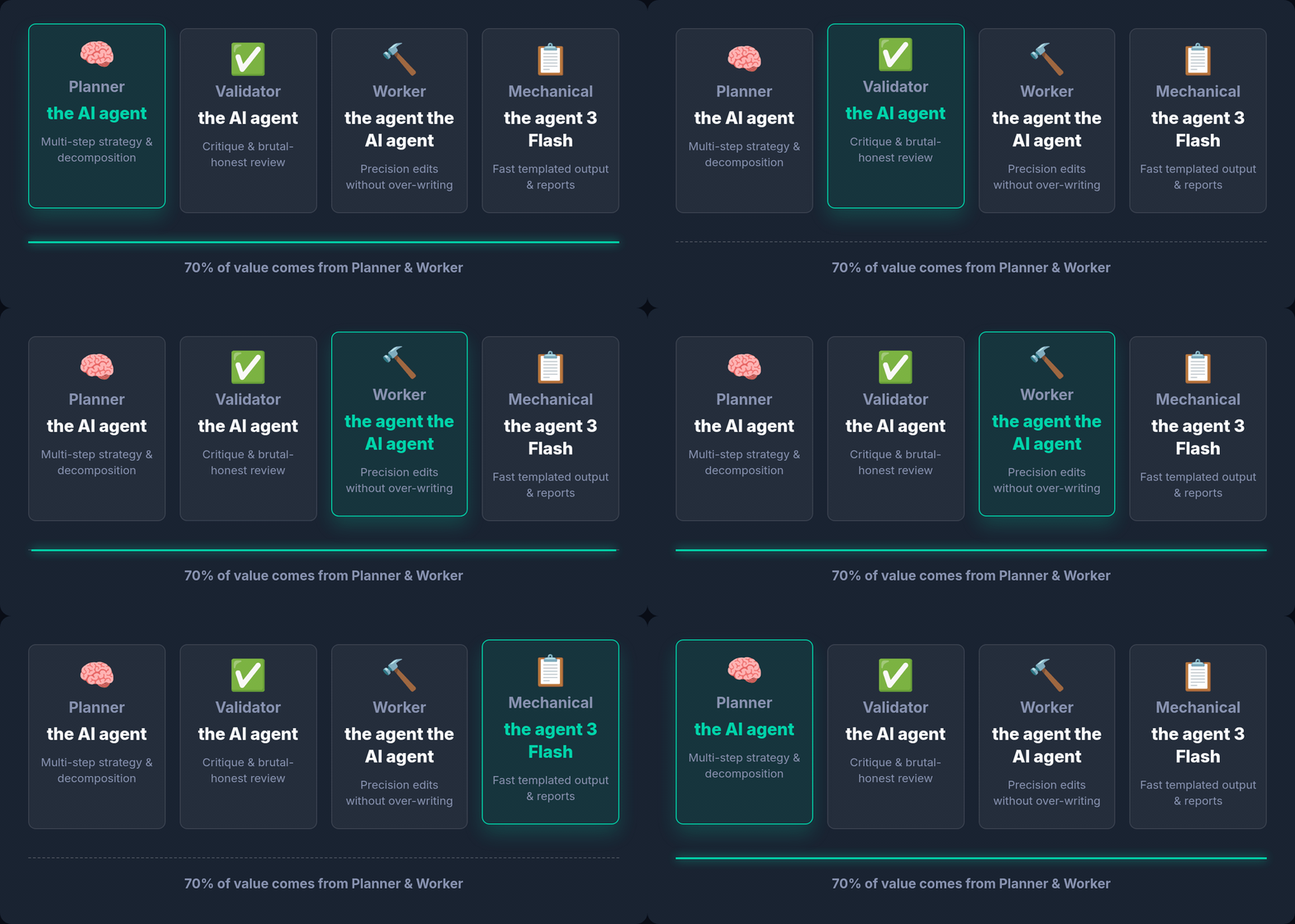
Roles are stable; models rotate. /wbModel changes which model fills a role without touching a single plan file.
Overview
/wbModel manages the ## User Models (Active Contractual Reference) table, which acts as the primary contractual state for all /wb* command executions. It parses model assignments, automatically resolves appropriate CLI binaries (agy, codex, opencode), and formats 3-tier fallback chains using the || (Bash OR operator) syntax.
Examples
# Set 1st, 2nd, and 3rd priority models for the Planner role
wbModel --planner="claude-opus-5,gemini-3.5-pro,kimi-k3"

# Update Worker and Mechanical priority models with CLI/Provider prefixes
wbModel --worker="fable,opencode Go:kimi k3" --mechanical="opencode Go:dsv4 pro"

# Explicit CLI prefixing
wbModel --planner="agy:claude-opus-5" --worker="codex:gpt-5.3-codex"

# Display current active User Models reference table
wbModel --show

# Reset active User Models reference back to baseline defaults in The Logic section
wbModel --reset
Key Flags
| Flag | Shortcut | Description |
|---|---|---|
--planner="<models>" | -p | Configures 1st, 2nd, and 3rd priority models for the 🧠 Planner role |
--validator="<models>" | -v | Configures 1st, 2nd, and 3rd priority models for the ✅ Validator role |
--worker="<models>" | -w | Configures 1st, 2nd, and 3rd priority models for the 🔨 Worker role |
--mechanical="<models>" | -m | Configures 1st, 2nd, and 3rd priority models for the 📋 Mechanical role |
--show | -s | Displays the active contractual reference table without editing. Resolves from the current directory only — for what a wave will dispatch use wb-flow wave <plan.md> --wave=<L> --list instead (see the warning above). |
--reset | -r | Resets the User Models reference table back to default choices from The Logic section |
--probe | -p | Verifies models by making live API requests. Displays reachability and balance status for each model. |
--all | -a | Used with --probe to pre-probe the entire models.json catalog. Reachable models are grouped by role; unreachable ones are hidden. |
--all=raw | Stream every result as it is probed, including ❌ unreachable models (the pre-1.0.2 behaviour). | |
--all=<provider> | Probe only that provider — --all=anthropic, --all=openai, --all=antigravity. Grouped by role. | |
--all=<role> | Probe only models matching a role — planner, validator, worker, mechanical. Grouped by role. |
All
--allforms work with or without--pick.wb-flow model --probe --all=anthropicin a script behaves exactly like the interactive path: same catalog-authoritative routing (anthropic/*probes via theclaudeCLI,openai/*viacodex— not opencode) and the same filtering. Only--all=rawstreams; every other form groups by role and hides unreachable models.
What --probe --all pre-selects for you
When a probe has run, the models it proved reachable become the pre-checked default chain for each role in Step 1. Detection alone only proves a credential exists; the probe proves the model answered, so its result outranks the detected roster.
Two rules shape the defaults:
- One tier per model.
gemini-3.6-flash-high,-mediumand-loware one model at three service tiers, so only-highis pre-checked — a chain of three tiers of the same model is one point of failure wearing three hats. Different releases are kept:gemini-3.6-flash-highandgemini-3.5-flash-highare separate models and both remain eligible. The other tiers stay visible in the tree, just unchecked, so you can still select them deliberately. - More than one billing pool. Each link is drawn from a different subscription where one is available, which is the entire point of a fallback chain: a rate-limit window or a lapsed card takes out one pool, not the ladder.
Never pre-checked: anything the probe marked ❌ unreachable, anything marked ⚠️ substituted (it answered as a different model — putting it in a chain guarantees a dispatch that silently runs something else), and anything outside the subscriptions you enabled in Step 0.
You are always free to override — Space toggles rank, and the order you check is the order the chain dispatches.
WARNING
wb-flow model --show and wb-flow wave can report different rosters. For any question about what a wave will dispatch, trust wb-flow wave <plan.md> --wave=<L> --list — not model --show.
They resolve the roster file differently:
| Searches | Picks | |
|---|---|---|
model --show | the current directory only (.wb/commands/ → commands/ → ~/.wb-flow/ → shipped seed) | the first file that exists |
wave | the package root, the repo root and ~/.wb-flow/ | the most recently written file |
So running model --show from inside a sub-package that carries its own older .wb/commands/model_recommendations.md reports that stale file, while the wave dispatches from the fresher roster wb-flow model --pick wrote at the repo root. Observed 2026-08-14 — the two named completely different planner chains.
wave --list prints 📋 Roster in effect: with the resolved file path and the full chain per role, precisely so this is visible rather than silent. It is read-only and dispatches nothing.
wb-flow wave <plan.md> --wave=A --list      # authoritative for wave dispatch
wb-flow model --show                        # the roster in THIS directory; may differ
The divergence is known and not yet unified: model --show shares its resolver with the write path used by --pick, so changing it would move where your roster is saved. Until that is settled deliberately, the two commands answer two different questions — "what is configured here" versus "what will this wave actually run".
🗂️ The three model files — and editing them by hand
wb-flow keeps model configuration in three files. Two are yours to edit; the third is generated.
| File | What it is | Ships? | Hand-editable |
|---|---|---|---|
models.json | The catalog — which models exist and which provider/pool serves each | ✅ default ships at templates/models.json | ✅ yes |
selected.json | Your picks — the ordered roster per role, written by --pick | ❌ generated, never shipped | ✅ yes |
commands/model_recommendations.md | The dispatch roster — what --wave actually reads | seed only | ✅ yes |
models.json — the catalog
The shipped default is copied to ~/.wb/models.json on wb-flow init (only if absent, so your edits are never overwritten). Resolution order, first hit wins:
$WB_MODELS_FILE → ./.wb/models.json → ~/.wb/models.json → ~/.config/wb-flow/models.jsonAdd a provider or model by editing it directly:
{
  "providers": [
    {
      "provider": "anthropic",      // ← decides the CLI: anthropic → claude
      "pool": "claude-pro",         // ← billing pool, shown in the picker
      "models": ["anthropic/claude-opus-5", "Claude (auto)"]
    }
  ]
}
The provider field is what routes the model, not its name. claude-opus-4-6-thinking is Anthropic-branded but listed under antigravity, so it dispatches through agy and bills against google-one. Put a model under the wrong provider and it will be probed — and dispatched — through the wrong CLI. A provider not in the routing table falls back to opencode.
selected.json — your roster
Written by wb-flow model --pick, next to the roster it generates. Order is priority order:
{
  "updatedAt": "2026-08-13T15:39:40.161Z",
  "roster": {
    "planner":    ["Codex (auto)", "gemini-3.1-pro-high", "gemini-3.6-flash-high"],
    "validator":  ["Codex (auto)", "gemini-3.1-pro-high"],
    "worker":     ["Codex (auto)", "gemini-3.1-pro-high"],
    "mechanical": ["Antigravity (auto)"]
  }
}
Edit it to reorder or swap models without re-running the picker. selected.json is a record of your choice; model_recommendations.md is what the dispatcher reads — so if you hand-edit one, edit the other to match, or re-run wb-flow model --pick to regenerate both.
Which roster --wave uses
Every role dispatches its chain left to right with bash ||, so model1 || model2 || model3 means try model1; if it fails to run, try model2. Each link routes through its own CLI, so one chain routinely spans several:
.wb/bin/wbRun codex exec -m gpt-5.6-terra … \
  || .wb/bin/wbRun agy --model gemini-3.1-pro-high … \
  || .wb/bin/wbRun opencode run -m opencode-go/deepseek-v4-pro …
Precedence, highest first:
-M/--modelon the invocation — delegates that one run- A plan's own
> **Active Model Roster for this Plan:**header - The most recently written
model_recommendations.mdacross the package root, repo root and~/.wb-flow/ - Built-in defaults
Point 3 is freshness, not position — deliberately. --pick writes into the current directory's.wb/, so a scope carrying an older roster of its own used to shadow the picks you had just made, and --wave would dispatch to models you had not chosen. Within a single root the order is still fixed: .wb/commands/ (your install) outranks templates/commands/ (the neutral shipped seed).
Verify what a plan will actually dispatch before committing to a wave:
wb-flow wave <plan.md> --wave=A --listZero-Dependency Credential Loading (.env)
wb-flow model and wb-flow init read a .env file from the current working directory — your project's, not wb-flow's — falling back to ~/.wb-flow/.env when the working directory has none. They load only keys matching a known provider prefix (GROQ_, OPENROUTER_, ANTHROPIC_, OPENAI_, GEMINI_, …) into the environment. Those values are inherited by the agent CLIs wb-flow spawns (claude, agy, opencode, codex), which is the point: wb-flow itself never reads an API key. Keys outside the prefix list are skipped and counted on stderr. Extend with WB_FLOW_ENV_ALLOW="MYVENDOR_"; restore the old load-everything behaviour with WB_FLOW_ENV_ALL=1. wb-flow does not add .env to your .gitignore — check that yourself.
A template ships at templates/.env.example with every provider key name and blank values — copy it to ~/.wb-flow/.env (global) or ./.env (per-project, takes precedence) and fill in the providers you actually use. Leave a key blank to skip that provider.
Verified CLI Binary & Non-Interactive Syntaxes
Every terminal command dispatched by wb-flow automatically includes the appropriate non-interactive print and auto-approve permission flags:
claude(Claude Code CLI):claude -p --permission-mode auto --model <model> "<prompt>"(claude-opus-5,claude-fable-5,claude-sonnet-4-6,claude-haiku-4.5).agy(Antigravity CLI):agy --model <model-id> --dangerously-skip-permissions -p "<prompt>"(gemini-3.1-pro-high,gemini-3.6-flash-high).opencode(OpenCode CLI):opencode run -m opencode-go/<model-id> --dangerously-skip-permissions "<prompt>"(opencode-go/deepseek-v4-pro,opencode-go/kimi-k3,opencode-go/deepseek-v4-flash).codex(OpenAI CLI):codex exec -m <model> --dangerously-bypass-approvals-and-sandbox --skip-git-repo-check "<prompt>" < /dev/null(gpt-5.6-terra,gpt-5.6-luna,gpt-5.5,gpt-5.4-mini).
← Home · Commands · Install | wb-flow on npm · flow.wbc-ui.com · wi-bg.com
Filling the catalog
/wbModel picks from what the catalog holds. To change what it holds:
wb-flow model --sync-catalog     # refresh every known provider
wb-flow model --add=zen,codex    # add specific ones (aliases accepted)
--add codex --from-picker handles Codex, which cannot enumerate itself.